
BenQ WDC10C InstaShow Wireless Presentation System with USB-C Plug and Play Connectivity
In stock
- SKU
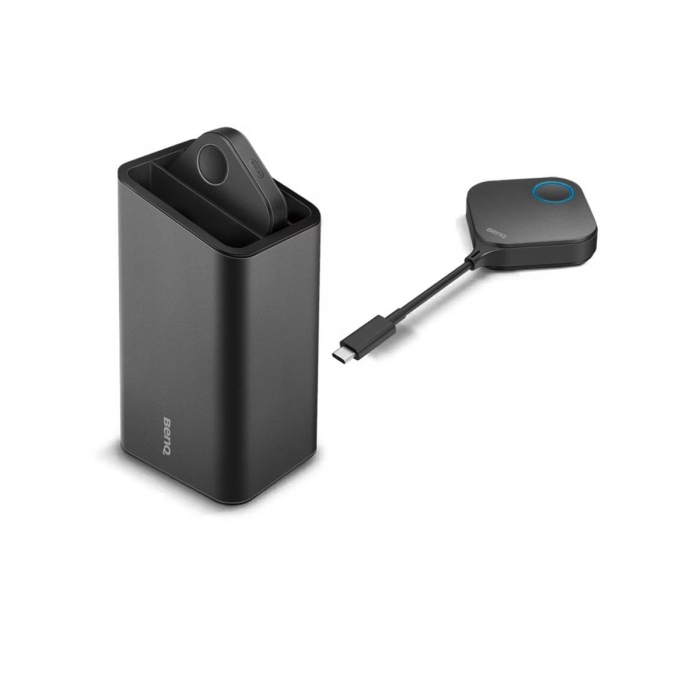
- BenQ WDC10C InstaShow Wireless Presentation System
Description
The Elite BenQ WDC10C InstaShow Wireless Presentation System, Features a USB-C Plug and Play Functionality with High Definition Visuals
The BenQ WDC10C InstaShow represents the control authority of the modern meeting room, packing wireless intelligence into a prestigious, high-durability frame. Specifically engineered for executives across Nigeria who demand tactile and visual authority, this system acts as a performance catalyst for your huddle room or private suite. Choosing the BenQ WDC10C InstaShow price in Nigeria ensures your meeting management achieves unwavering reliability. You can find this and other high-end tools here.
Why Choose The BenQ WDC10C InstaShow In Nigeria?
Experience a new level of "workspace equity" with the no-software-required interface, which surgically removes the friction of stationary installations across Nigeria. The WDC10C features AES 128-bit security encryption, providing a seamless visual link to your data with extraordinary precision. For those looking to buy BenQ WDC10C in Nigeria, the integrated USB-C connectivity offers an executive-level support perimeter for your hardware. Secure your control perimeter today at www.select.com.ng.
Product Specifications
| Wireless & Video Performance | |
|---|---|
| Video Resolution | Up to 1080p @ 30fps |
| Security Encryption | AES 128-bit (Clinical Security) |
| Wireless Protocol | IEEE 802.11ac (5GHz) |
| Authentication | WPA2-PSK |
| Connectivity & Hardware Details | |
|---|---|
| Interface | USB-C (Plug and Play Mastery) |
| Range | Up to 8 Meters (26 Feet) |
| Host Weight | 0.15 kg / 0.33 lb |
| Button Weight | 0.10 kg / 0.22 lb |
What's in the box?
Inside the box of the BenQ InstaShow WDC10C for your Nigeria organisation, you will find:
- InstaShow Host Receiver (Approx. 0.33 lb)
- InstaShow Buttons x2 (Approx. 0.22 lb each)
- Cradle for Buttons
- USB Power Cable and HDMI Cable
- Quick Setup Guide and Warranty Card
More Information
| Smart Phone | No |
|---|